Skip to content
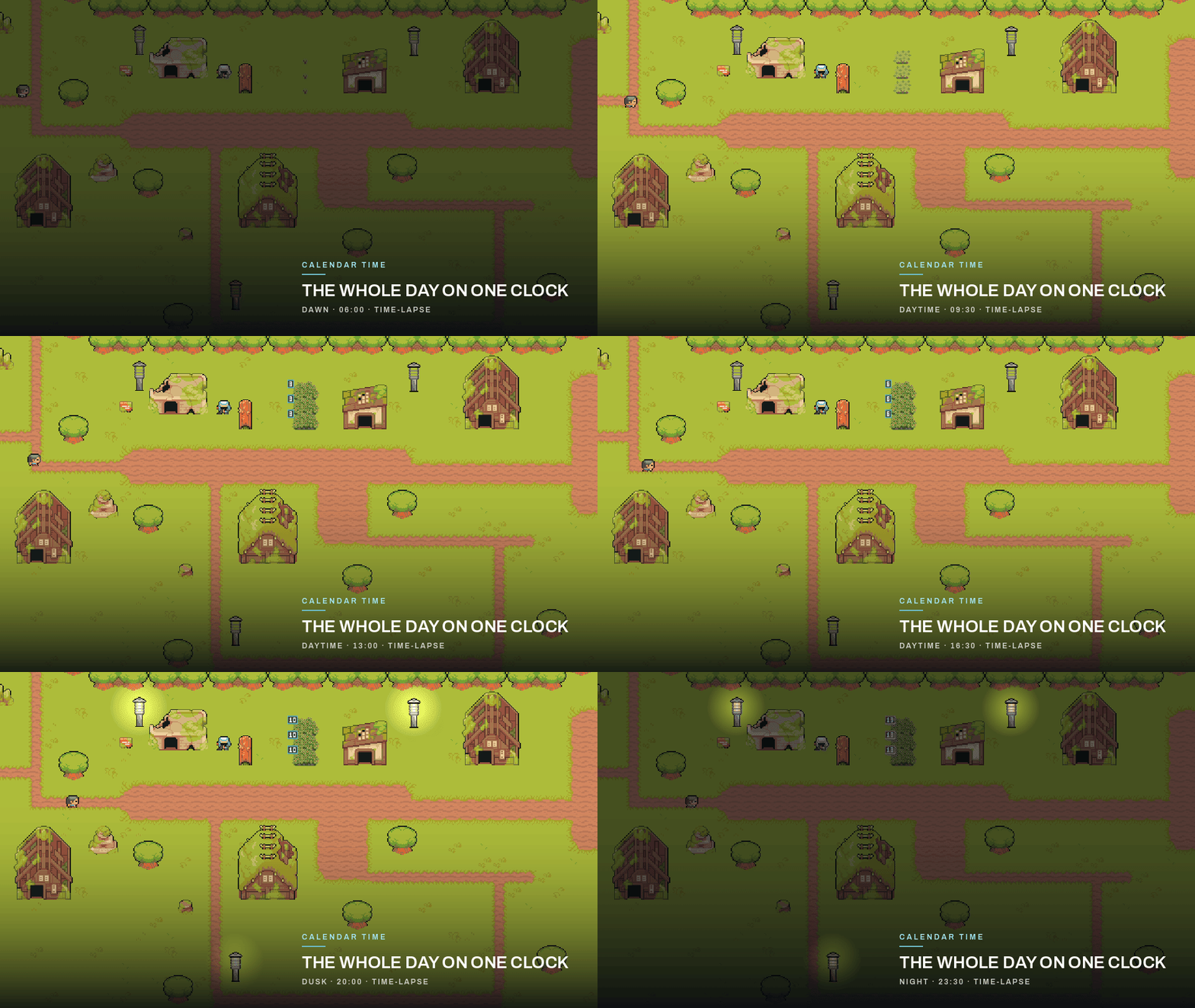
Time-lapse of the 2D village as the clock advances and the lanterns light at dusk
2D day/night

Prefer a walkthrough? Watch the Calendar Time overview on YouTube

Sale bundle

All 3 plugins for $40

Grid Placement · Calendar Time · Item Vault — full source, demos, docs, and the commercial license included.

$100 separatelySave $60 (60% off)Ends in --d --h --m --s

Get the $40 bundle on itch.io

What it handles

Start from a working system. Then make it yours.

The core workflow is already connected. Extend the parts your game needs instead of rebuilding the foundation.

Accurate game clock

A game clock that stays accurate, with manual time stepping for saves and replays.

Clocks and calendars

Multiple in-game clocks and calendars with safe save/load and version upgrades.

Day/night cycle

A day/night cycle service with lighting nodes and UI displays included.

Ageing on game time

Ageing for crops, spoilage, and construction that runs off the shared clock.

Saves that survive updates

Versioned player saves with old-save migration.

What the clock drives

One clock, three things change.

Advancing game time fires date and time events. Lighting, crops and the calendar read that same clock rather than keeping their own timers.

What the Calendar Time clock actually drives A game clock advances and fires time and date events, which drive three visible systems in the shipped demos: lighting that follows the hour, crops that age on game time, and a calendar display showing the season, day and event markers. The current time is also what a save keeps, so loading resumes from that moment. Game clock advances one clock, every scene Time and date events fire day · season · scheduled markers Lighting follows the hour dusk lamps, day and night Crops age on game time growth stages to fruit Calendar shows the date season · day · event markers Save keeps the current time load resumes from that moment SAVED LEGEND SYSTEM FOCAL SAVED STATE
What the Calendar Time clock actually drives Narrow-screen version: a game clock advances and fires time and date events, which drive three visible systems — lighting that follows the hour, crops that age on game time, and a calendar display — and the current time is what a save keeps so loading resumes from that moment. Game clock advances one clock, every scene Time and date events fire day · season · markers What the clock drives Lighting follows the hour Crops age on game time Calendar shows the date Save keeps the current time load resumes from it SYSTEM FOCAL SAVED

See it running

See the clock drive the game.

Captured from the included 2D and 3D demos: lighting, crops, the calendar display, and saves all run off one clock.

Time-lapse of the 2D village as the clock advances and the lanterns light at dusk

The whole 2D day on one clock, with lanterns lighting at dusk.

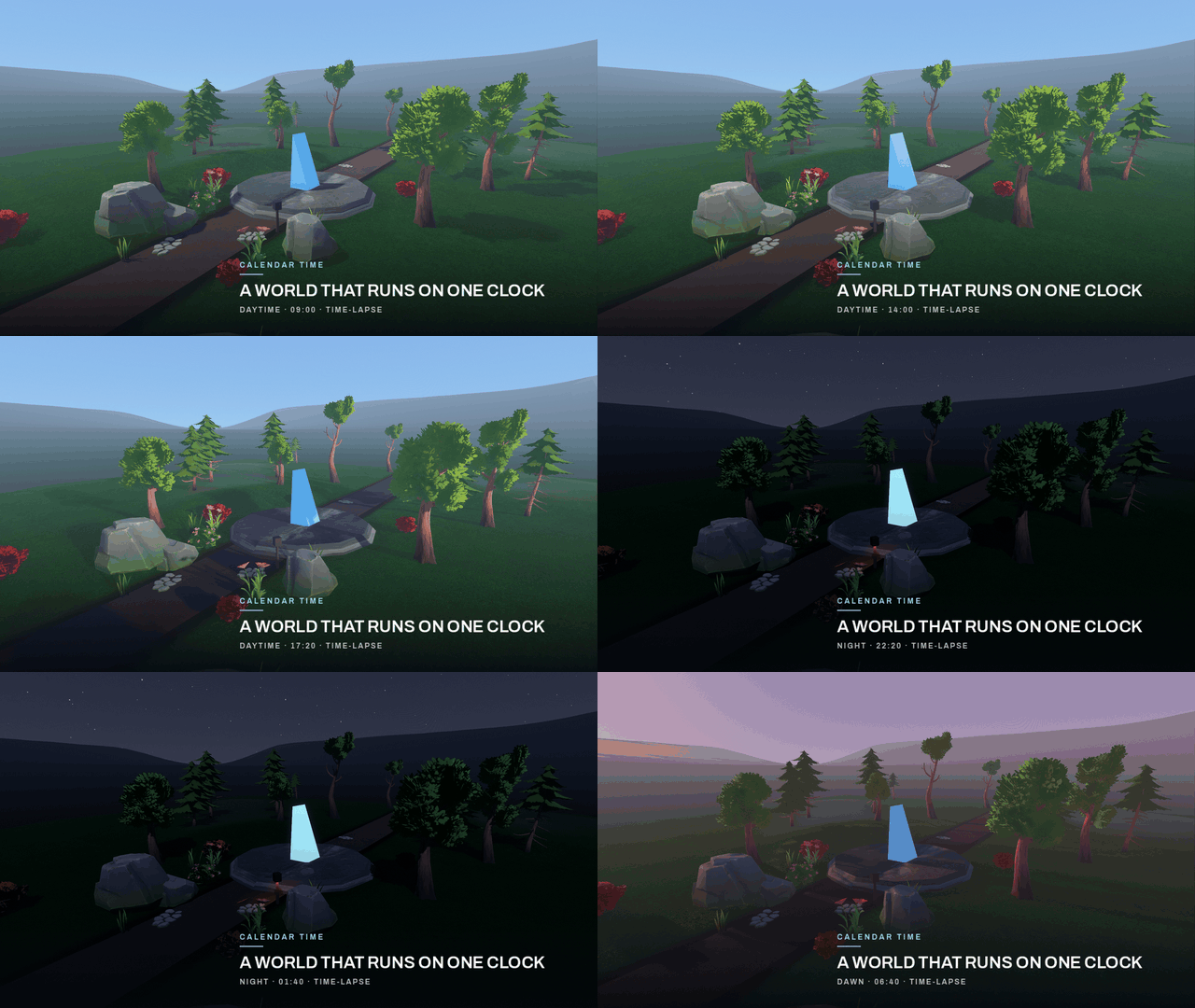
A 3D scene moving from day to night on one clock

3D day-to-night lighting driven by the same clock.

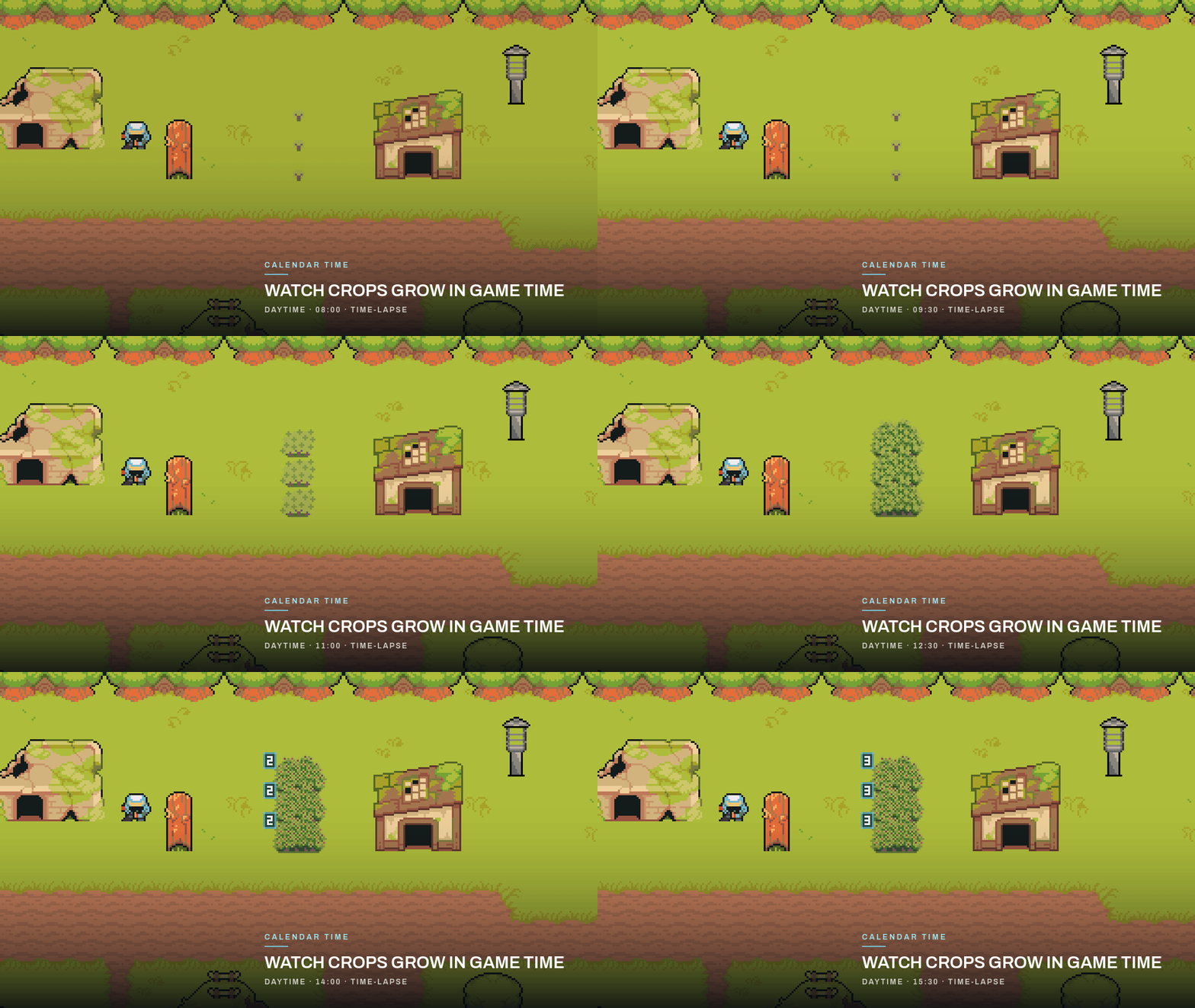
Time-lapse of the demo berry bushes progressing through growth stages to fruit

Crops grow through their stages on game time.

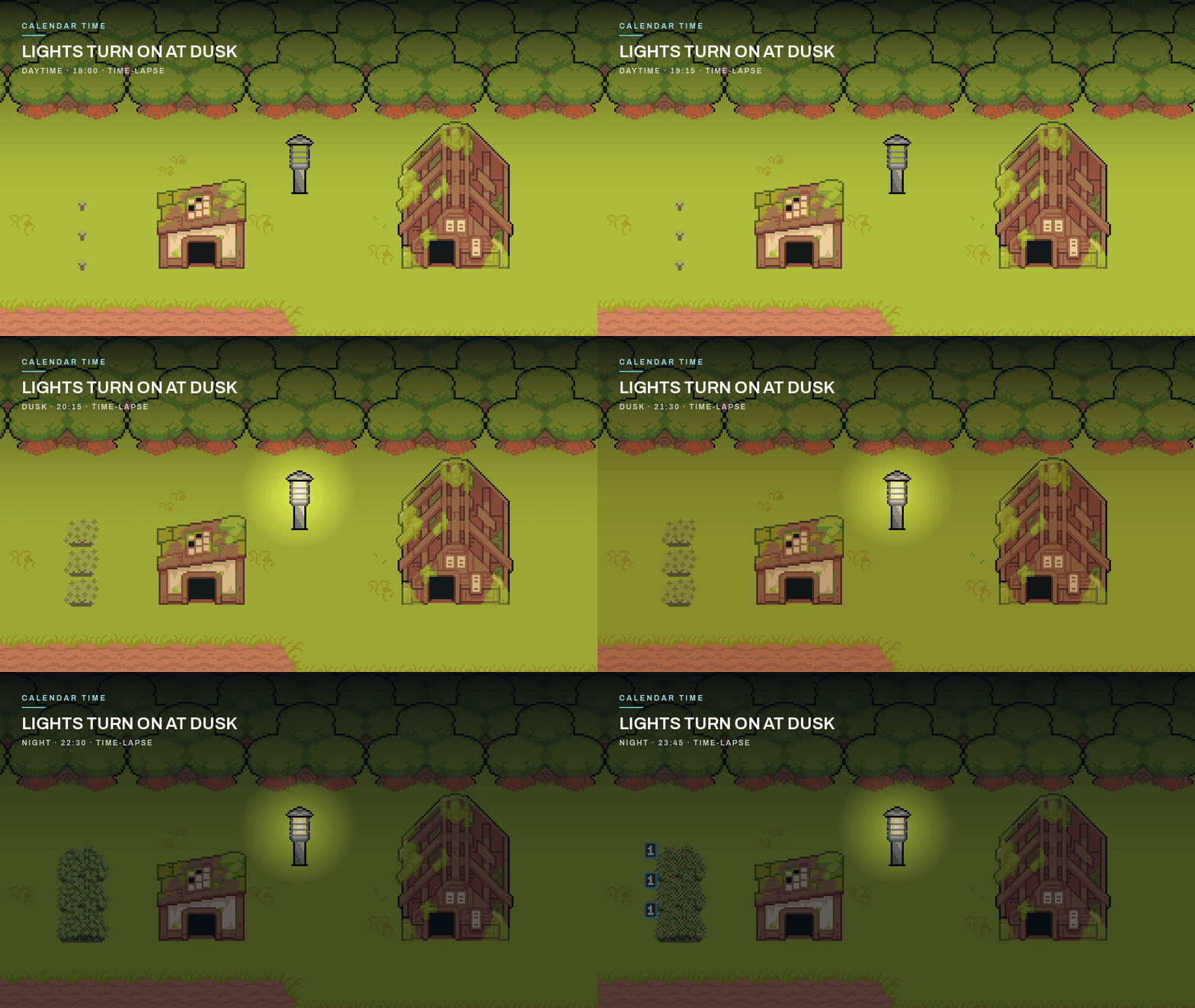
Village lights turning on at dusk

Lights turn on at dusk, driven by the time of day.

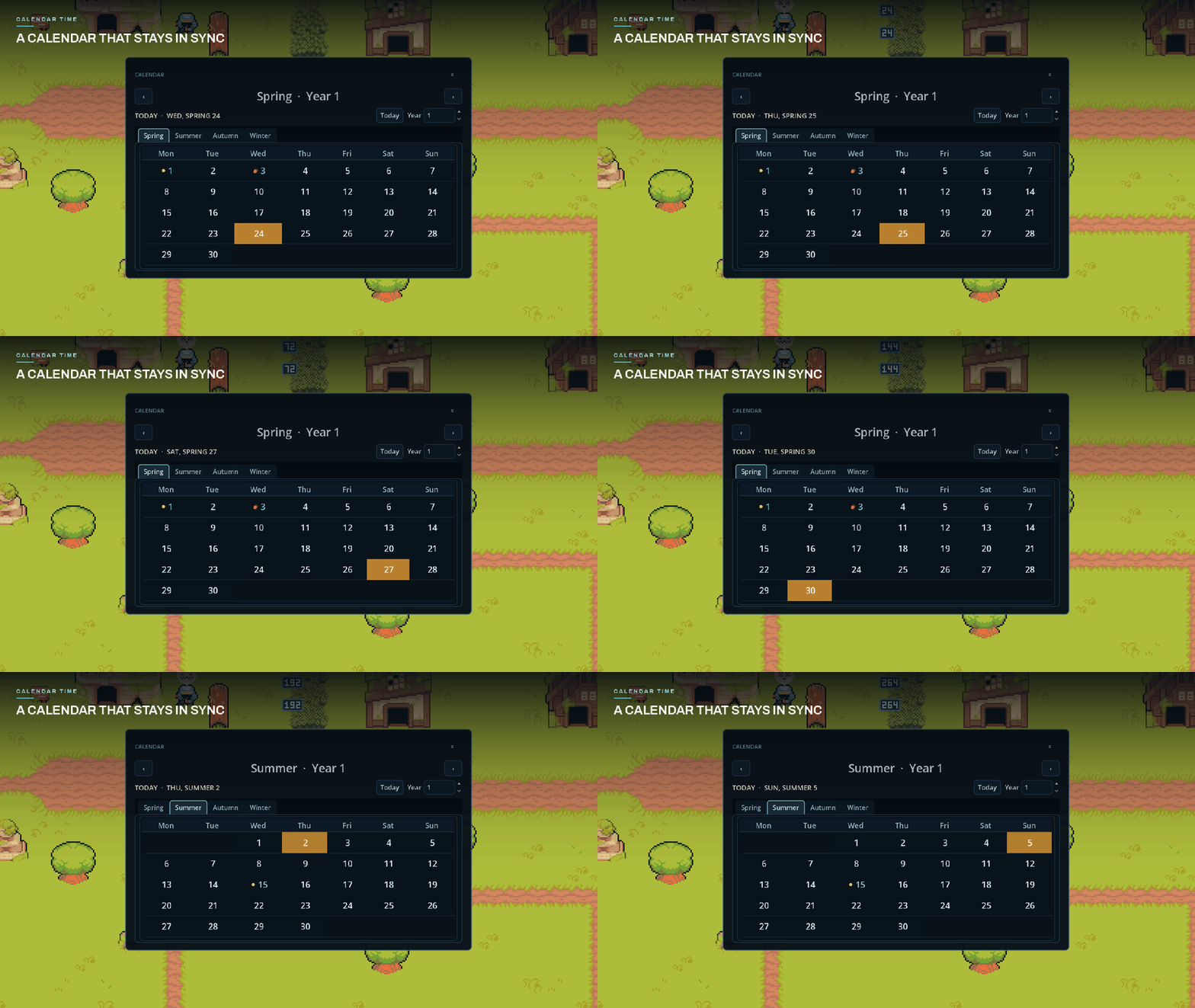
The included calendar display showing the season, the current day, and event markers

The included calendar display stays in sync with the clock.

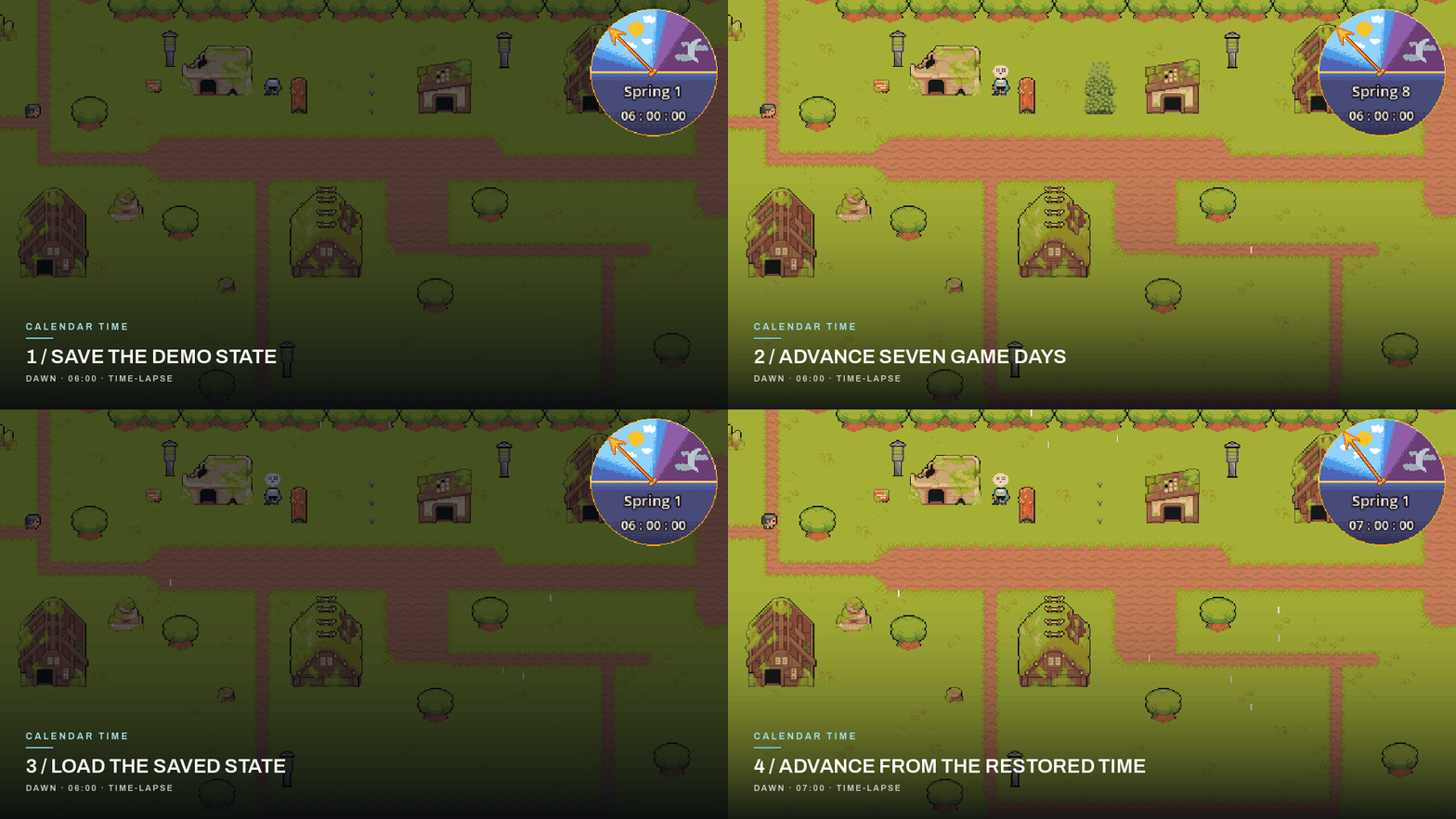
Saving at Spring 1 06:00, advancing to Spring 8, loading Spring 1 06:00, and advancing to 07:00

Save, advance, load, and continue from the saved time.

Free · in your browser

Try it before you buy.

The web demo is the shipped build. No download, no account.

Play the web demo

Evaluate it before you buy

The documentation is public.

Check the setup flow and the GDScript API first, so you know how it fits your project before spending anything.

Before you buy

Questions people ask.

Which Godot versions does Calendar Time support?
Calendar Time 2.1 supports Godot 4.4 through 4.7, and is also tested on Godot 4.8-beta2.
Does Calendar Time work in 2D and 3D?
Calendar Time includes both 2D and 3D day/night demos. The clock system itself is dimension-neutral — the same GameClock drives UI and gameplay in any project type.
Can I use these plugins in commercial games?
Yes. All plugins come with a royalty-free commercial license. You can use them in your own Godot projects, including commercial ones. You may not redistribute, resell, or repackage the source code itself as a standalone asset or competing product.
I get 'Nonexistent function get_game_year in base Nil' when loading the demo. What's wrong?
This usually means a required node reference isn't set in the inspector. The most common fix: assign the GameClock resource and TimeHost references in your scene nodes. If the error persists across scenes, the system may be running before its dependencies are ready — make sure load order is correct.

If you need more than one

The other two systems.

Same GDScript source, same commercial licence, same free web demos. Each one works on its own.

World Buildingv6.3.2 · Godot 4

Grid Placement

Add building placement to your game with grid snapping, previews, rotation, and placement checks already handled.

  • Show players where a building can be placed
  • Snap, rotate, and drag-place in 2D or 3D
  • Save and load placed buildings
$24$405.0 · 6 itch.io ratings
Buy on itch.io

Black Friday Sale 2026 · save $16Ends in --d --h --m --s

Inventoryv1.2.0 · Godot 4

Item Vault

Add items, inventories, pickups, drops, shops, crafting, and saving with one connected Godot system.

  • Create items and player inventories
  • Handle pickups, drops, transfers, shops, and crafting
  • Save and load inventory data
$18$30USD · checkout on itch.io
Buy on itch.io

Black Friday Sale 2026 · save $12Ends in --d --h --m --s

Calendar Time v2.1.2

Ready to add Calendar Time to your game?

Full GDScript source · Playable demos · Public guides and API · Royalty-free commercial license

New versions are announced on .

Calendar Time$18
Buy on itch.io