Godot multiplayer grid placement: one host, four sessions
Four placement sessions on one Grid Placement host: independent previews and catalogues, one committed grid, and the networking boundary left to your game.
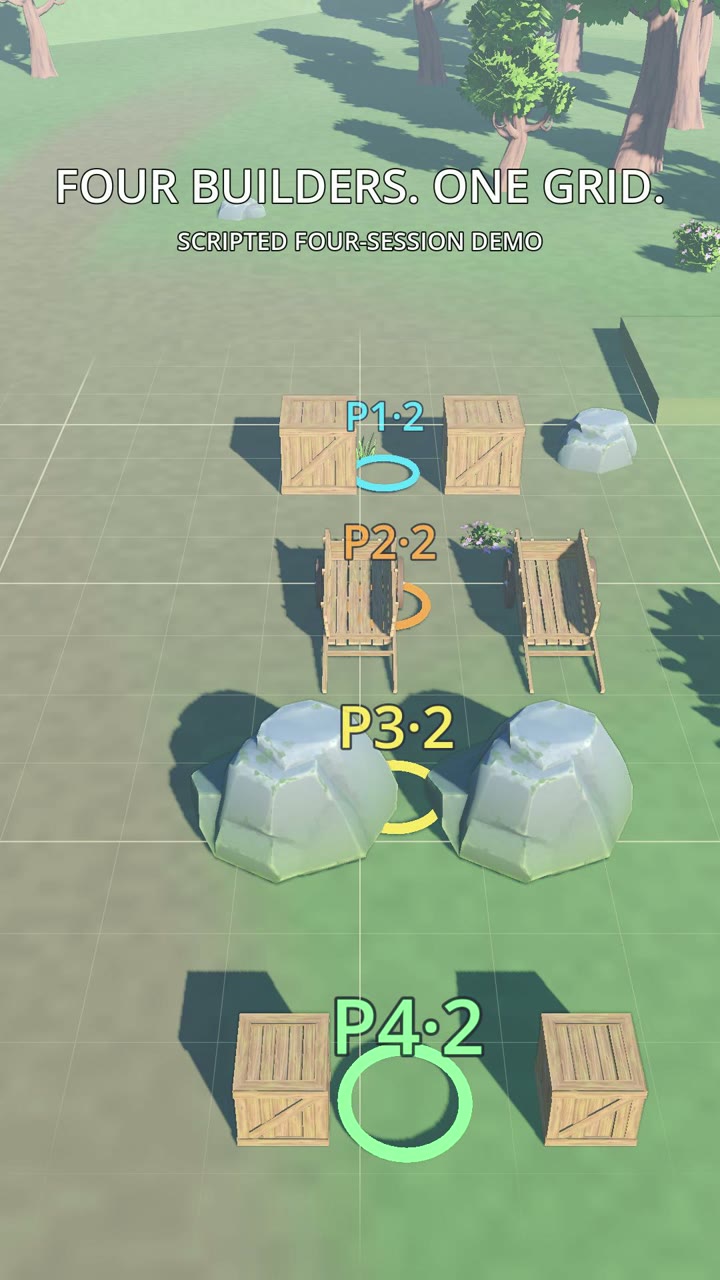 Four cursors, one grid — 20 seconds
Four players can build into one grid at the same time without fighting each other's cursor, because
each player gets their own PlacementSession while the committed world stays shared. Selections and
previews are private; occupancy and placed objects are common. The plugin supplies that split, and
your game supplies the networking on top of it.
The clip below is four sessions committing into one host — driven by a script, not four networked clients. That distinction matters, and it is the same one this page makes throughout: the plugin gives you placement state, not a multiplayer authority model.
What each session owns, and what they all share
Private per session:
- the selected entry or terrain;
- GRID or SMOOTH mode;
- the live preview and its target cell;
- any pending brush or manipulation action;
- which catalogue entries are unlocked;
- its own HUD and input state.
Shared, because a second player has to agree with the first about the world:
- the identity of every placed object;
- GRID and SMOOTH occupancy;
- CELL, EDGE, FACE, CORNER, TOP and socket occupancy;
- the world records that save and load.
If player one occupies an edge mount, player two sees that edge as occupied while still holding their own preview somewhere else. Two players pointing at the same cell is therefore a placement question, not a session question — the shared occupancy decides it, and the second commit learns it lost.
The setup shape
The single-player shortcut and the multi-session scene are opposites, so pick deliberately:
- Single session: the host's
auto_configureregisters the one authored session at_ready. - One session per player: leave
auto_configureoff. Each player's controller owns a session and registers it with the host, and controller setup runs in_enter_tree— before the host's_ready— so a controller that configures the host wins and services are never composed twice.
var session := PlacementSession.new()
session.grid_placement_bundle = shared_bundle
host.register_session(self, session, player_device)
and host.unregister_session(self) when that player leaves. Game-wide settings live in the bundle; a
session may override settings and actions per player, and those overrides win when set. For
split-screen, prefer a per-player bundle when several fields differ and keep the override fields for
small tweaks.
For 3D, one ObjectPlacementService3D holds the committed occupancy for everyone plus one preview
slot per session — the selected entry, the ghost, its yaw, its mount. Drive a specific player's
preview through the host rather than a cached service reference, and expect a parked ghost to keep its
last tint until its owner moves: an idle player's preview is not revalidated while another player
commits into that spot.
Where the plugin stops and your game starts
Grid Placement provides placement mechanics and placement state. It does not decide:
- client prediction versus server authority;
- the RPC or replication format;
- permission and ownership checks;
- rollback and reconciliation;
- who owns persistence.
A networked build should treat a placement request like any other game action: the client shows its own preview for responsiveness, and the authoritative layer validates the request through the supported placement APIs before it becomes a record. The scripted clip above is the local half of that problem — four sessions, one host, eight real commits — with the transport deliberately absent.
Common ways this goes wrong
| What you see | What to check |
|---|---|
| One player changes another's selection | Sessions are shared, or the UI points at the wrong session |
| Two players place into the same occupied spot | They are not sharing one authoritative placement world |
| The wrong player reacts to a controller | Device/action routing, or the controller registration |
| A HUD shows another player's state | The UI reads a global session instead of its owner's |
What this walkthrough does not cover
- Split-screen presentation. State isolation does not build viewports, per-player cursors or HUDs for you; your game owns cameras, adapters and device mapping.
- The transport. RPCs, authority and reconciliation are yours; the Multiplayer and Split-Screen guide states the boundary and the troubleshooting table in full.
- Rendering cost of several previews. Each session keeps its own ghost; measure it in your own scene rather than assuming it is free.
Watching the clip is worth doing before wiring anything: eight placements, four sessions, no cursor fighting — the mechanism is what you are looking for when you test your own scene. If you want the full rig instead of the mechanic, the 3D grid placement setup tutorial builds it end to end.