Build Godot 4 inventory, loot, pickups, shops, crafting, and saves around one shared item system.
Item Vault is a source-included GDScript plugin for Godot 4.4+. Define an item once, then use that same item across world drops, inventories, crafting recipes, shops, and save data instead of maintaining separate item logic for every system.
Item Vault 1.1.1 · Godot 4.4+ · GDScript · 2D + 3D · No required autoloads · Full source included
Get Item Vault + all nine demos →
Try the free browser demo at the top of this page ↑
See it in action in the GIF gallery beside the page.
One item model across your game
Inventory code often starts small, then grows into separate systems for pickups, chests, loot tables, shops, crafting, transfers, and saving. Item Vault gives those systems one shared foundation from the start.
- Define items once. The same stable item ID can be used by drops, inventories, recipes, shops, and save files.
- Write less glue code. Pickups, inventories, crafting, shops, and persistence already understand the same item and stack data.
- Keep control of your game. Item Vault does not force a particular inventory UI, hotbar, equipment screen, or shop screen.
- Use only what you need. Adopt the full pipeline or only the inventory, pickup, crafting, spawning, economy, or persistence pieces that fit your project.
What you get
- Shared item data —
ItemDefinition,ItemStack, andItemDatabasegive the plugin one consistent way to identify and store items. - Inventory containers — slot-based or flexible inventories with stacking, capacity, weight rules, filters, transfers, currencies, and all-or-nothing transactions.
- Loot and drops — weighted drop tables and item-backed world drops for chests, enemies, gathering, and other reward sources.
- 2D and 3D pickups — place pickups by hand or spawn them at runtime. If an inventory cannot accept everything, overflow can remain in the world instead of disappearing.
- Optional crafting — recipes, ingredient checks, safe multi-step crafting, and crafting save data. Remove the crafting module if your game does not need it.
- Shop helpers — buying, selling, refunds, and buyback behavior built on the same inventory data while your game remains free to own the shop UI.
- JSON save/load — save inventories using stable item IDs, with version checks and documented handling for missing items.
- Retained item resources — durability, charges, fuel, water, and energy stored on the item instance, changed through typed commands rather than by removing the stack.
- Advanced extension points — documented inventory interfaces and reference backends for projects that need custom storage, networking, or backend behavior.
Beyond the basics
The parts of Item Vault that a plain slot array does not give you. Each one is in the demo suite and covered by automated tests.
Try the free browser demo. Pick items up in the browser before buying; the download includes the full editable demo project.
- Retained item resources — durability, charges, fuel, water, and energy live on the item instance. Using a pickaxe changes its durability and the pickaxe stays in the inventory at the same quantity; the item keeps its identity and its state instead of being destroyed and recreated. See demo 09.
- Retry-safe mutations — every command carries a correlation id. Replaying a command is rejected as
DUPLICATEinstead of applying a second time, and that guard is persisted, so it still holds after a save and reload. This is what makes an inventory safe to drive from retried network actions. - Reservations — hold stock against an in-flight action and commit or release it later, so two buyers cannot both take the last item.
- Two interchangeable backends — the GDScript backend ships in the addon, and an optional Rust reference implementation speaks the same command, event, and save shape if you later need to move storage out of GDScript.
- Overflow stays in the world — when an inventory cannot accept everything a pickup offered, the remainder is reported back rather than silently dropped.
Nine interactive demos
The included demos are regular Godot scenes you can open in the editor, inspect, and run. The sidebar GIFs show several of these flows working end to end.
- Pickup to Inventory — walk into world pickups and add them to an inventory.
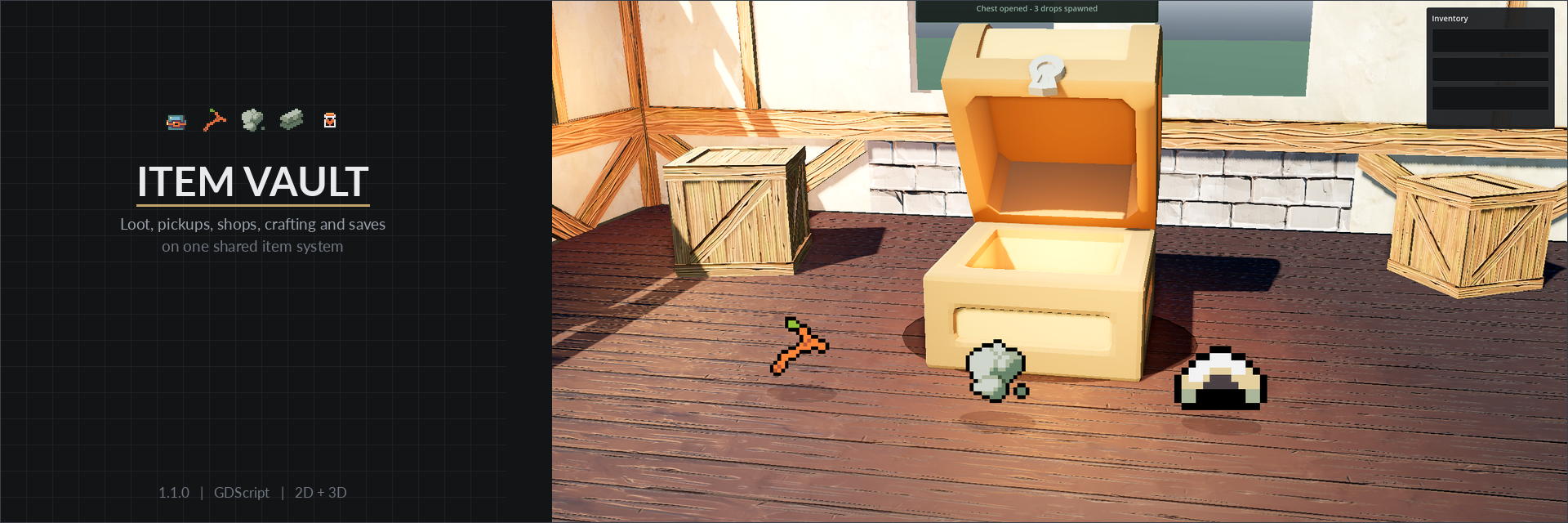
- 3D Chest to Inventory — open a chest, spawn 3D drops, and collect them.
- Chest Drop Table — roll randomized loot from a weighted drop table.
- Shop and Buyback — buy, sell, refund, and buy back items.
- Inventory Transfer — move full or partial stacks between containers.
- Spawning Patterns — compare point, shape-edge, and launch-force spawning in 2D.
- Stack JSON Round-Trip — save item stack data, clear it, and restore it.
- Crafting Bench — choose a recipe, consume ingredients, craft an output, and move the result into inventory.
- Retained Item Resources — use a pickaxe, a lantern, and a potion to change durability, fuel, and charges without removing the stacks, then replay an action to see it refused as a duplicate.
Focused guides cover setup, item data, drop tables, runtime wiring, saves, crafting, 2D/3D handling, retained stack data, advanced gameplay integration, and common integration questions.
Designed to fit your project
- No required autoload. Add
ItemVaultRuntimeto the scene that should own your item systems, or build from the lower-level services yourself. - No forced UI. Item Vault handles item and inventory behavior; your project decides how inventories, equipment, shops, and interactions should look.
- No extra runtime language required. Normal use is GDScript. You do not need C#, Rust, or GDExtension.
- Full source included. Inspect and adapt the covered plugin source for your game under the included license.
2D and 3D support
2D: point spawning, shape-edge spawning, launch force, move-on-spawn, pickups, and pickup-to-inventory routing.
3D: point spawning, move-on-spawn, pickups, and pickup-to-inventory routing.
Not included: 3D shape-edge and launch-force convenience spawners. Inventory UI, hotbars, equipment UI, and shop UI remain game-owned.
New in Item Vault 1.1.1
- Safer inventory changes — multi-step inventory operations can preserve exact stack state and roll back cleanly if a later step fails.
- Easier gameplay integration — new public hooks make it simpler to react to successful inventory changes from healing, equipment, quests, combat, achievements, and other systems.
- Clearer integration guidance — a new advanced guide explains which Item Vault APIs your game should use and how to keep gameplay rules separate from the inventory framework.
- More reliable saves and stacks — invalid saved quantities are rejected, and stack-specific values such as durability or charges are handled more safely when stacks are compared or merged.
Quick start
- Copy
addons/item_vault/into your Godot project'saddons/folder. - Enable Item Vault under Project Settings → Plugins.
- Create your first
ItemDefinition. - Add
ItemVaultRuntimeto the scene that owns your item flow and connect only the systems your game needs.
Documentation and API reference: christutorials.com/docs/item-vault
Compatibility and verification
- Godot: 4.4 or later.
- Language: GDScript.
- Verification: 400+ automated tests, nine interactive demos, and focused integration guides.
Complete the set
Grid Placement for Godot 4 — preview, place, rotate, and remove objects in 2D or 3D.
Calendar Time for Godot 4 — give calendars, growth, and day/night logic a shared game clock.
They pair naturally with Item Vault: buildings placed with Grid Placement can cost items, and shop hours and crop growth can follow the calendar. Each plugin is sold on its own and works without the others.
License and support
Use and modify the covered plugin source in commercial or non-commercial games, applications, interactive media, and internal projects. Credit is not required. Redistribution, resale, or publication of the source as a standalone plugin, library, template, or competing product is not permitted. Third-party demo assets keep their own licenses.
Questions or need support? Join the Discord, leave a comment below, or email [email protected].
Item Vault 1.1.1 for Godot 4 · Full source included · Commercial use allowed · No royalties